


Description
Download AnyToISO – convert CD/DVD image to ISO, CD/DVD image converter, ISO converter, image format converter, free CD/DVD converter
Overview
AnyToISO is a lightweight, standalone utility designed to convert various CD and DVD image formats into the widely supported ISO format. The app addresses a common pain point for users who encounter incompatible image files when attempting to burn discs or emulate optical media. Whether downloading software, games, or multimedia content, users often face issues when their image files—such as BIN, MDF, or NRG—are not recognized by standard burning tools. AnyToISO eliminates this barrier by providing a straightforward solution to format conversion.
Target users include digital archivists, software developers, gamers, and general users managing optical disc images. The app is particularly useful for those maintaining legacy software collections or working with older media distributions. Its free, no-installation model enhances accessibility, allowing users to run it from a USB drive or external storage without modifying system settings.
Although the developer did not provide additional technical details about the app’s architecture or development background, the focus on compatibility and simplicity suggests a targeted approach to solving a niche but persistent technical challenge. In the broader software ecosystem, AnyToISO fills a gap left by mainstream tools that lack support for less common image formats, offering a reliable, portable alternative.
Key Features & Functionality
- Broad Format Compatibility – AnyToISO supports a wide range of CD/DVD image formats, including BIN, MDF, PDI, CDI, NRG, B5I, IMG, DEB, and DMG. This ensures users can convert files from various sources, regardless of the original format.
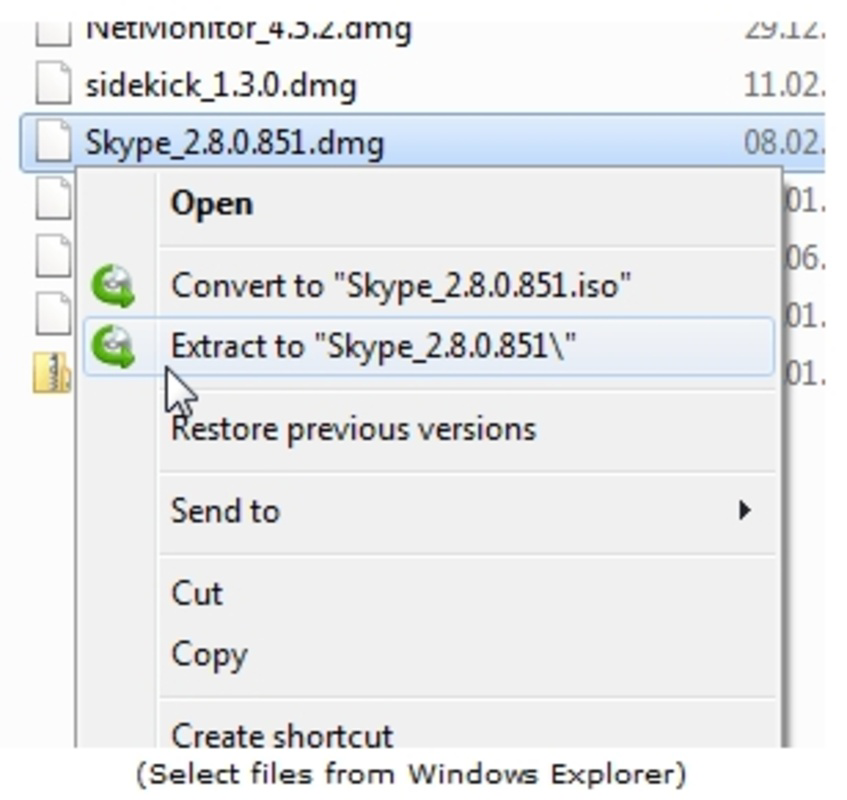
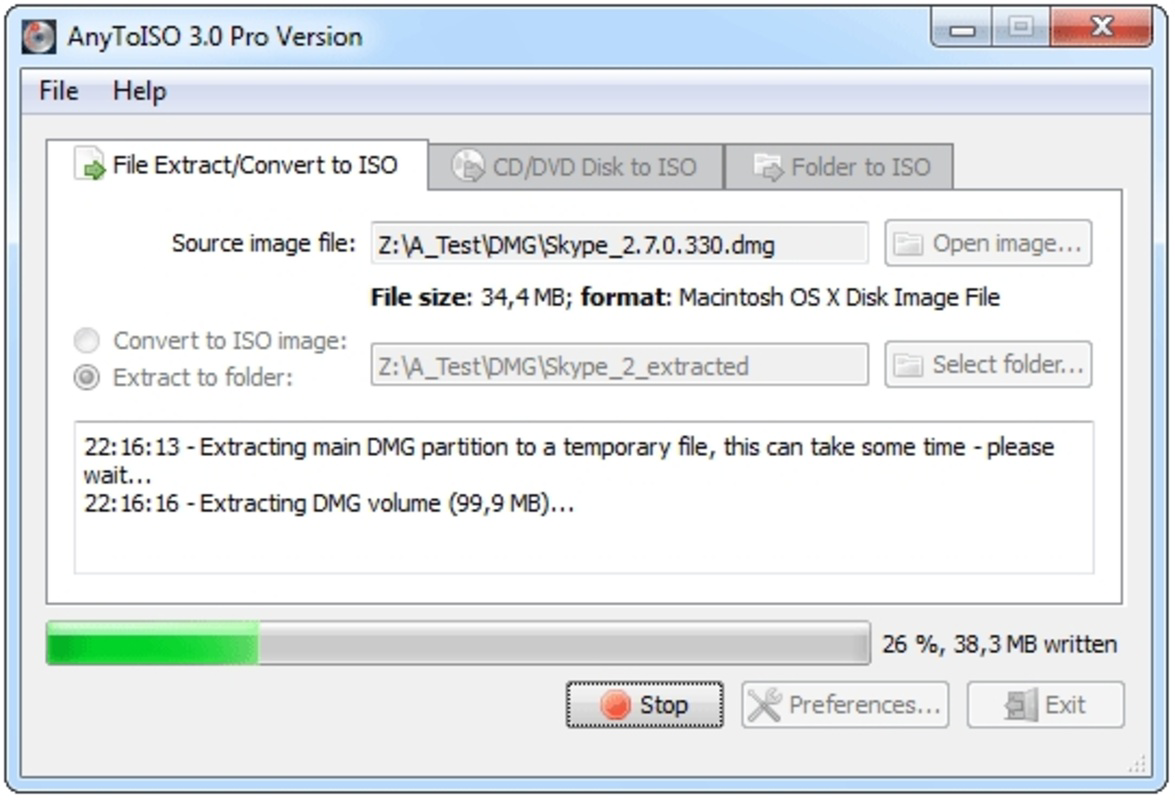
- Simple Conversion Workflow – The interface is designed for minimal user input. Users select the source file and click ‘Convert,’ with no need for advanced settings or configuration.
- Fast Processing Speed – The app performs conversions quickly, minimizing wait times. This efficiency is especially beneficial when handling multiple files or time-sensitive projects.
- Custom Output Folder Selection – Users can designate a preferred folder for saved ISO files, improving file organization and reducing the risk of lost or misplaced outputs.
- Portable and Free – No installation is required. The app runs directly from the executable file, making it ideal for use on shared or restricted systems.
For example, a user downloading a game ISO in BIN format can convert it to ISO in seconds, enabling use with standard burning software like ImgBurn or Windows Disc Image Burner. Similarly, a digital archivist preserving old software can streamline their collection by standardizing all image formats to ISO for consistency and ease of access.
Interface, UX & Performance
AnyToISO features a clean, minimalistic interface focused on core functionality. The layout centers around a single file selection button and a prominent 'Convert' action, reducing cognitive load and minimizing user errors. Navigation is intuitive, with no complex menus or hidden options.
Although the developer did not list formal performance metrics, the app’s lightweight design—just 1.5 MB—suggests efficient resource usage. It is expected to run smoothly on most modern Windows systems without significant CPU or memory overhead. The application responds promptly to user actions, with conversion processes completing in a short timeframe.
Stability appears to be a priority, as the app is designed to operate without installation, reducing the risk of system conflicts. While specific testing on older hardware or low-end devices was not disclosed, the compact size and lack of dependencies imply broad compatibility across different device categories.
Platform Compatibility & Technical Requirements
AnyToISO is available exclusively for the Windows platform. The app requires no installation and operates as a standalone executable, making it accessible on any Windows system that supports the file format. The software version is 1.0.0, with a file size of 1.5 MB.
The developer did not specify minimum OS requirements or compatibility with specific Windows versions. However, given its small footprint and portable nature, it is likely compatible with Windows 7 and later, including Windows 10 and Windows 11. Users should ensure their system supports running executable files from external drives or temporary folders.
Pros and Cons
Pros
- Supports a wide variety of CD/DVD image formats
- Simple, intuitive interface suitable for all skill levels
- Fast and efficient conversion process
- Free to use with no ads or in-app purchases
- Portable—no installation required
- Minimal system resource usage
Cons
- Platform limited to Windows only
- Developer did not provide detailed system requirements
- No built-in preview or file verification feature
- Only available as a standalone executable
- Limited to desktop use; no mobile or web version
FAQ
Is AnyToISO safe to download and use?
Yes, the app is free and does not require installation. As a standalone executable, it poses minimal risk to your system when downloaded from official sources.
Can I use AnyToISO on a Mac or Linux system?
Currently, AnyToISO is only available for Windows. There is no official support for macOS or Linux platforms.
Do I need to install AnyToISO to use it?
No. The app is portable and can be run directly from a USB drive or any folder without installation.
What file formats does AnyToISO support?
It supports BIN, MDF, PDI, CDI, NRG, B5I, IMG, DEB, DMG, and other common CD/DVD image formats.
Is AnyToISO regularly updated?
The developer has not disclosed update frequency. However, the current version is 1.0.0, released on May 15, 2024.
Final Thoughts
AnyToISO delivers a focused, reliable solution for users struggling with incompatible CD/DVD image formats. Its strength lies in simplicity, speed, and broad compatibility—all without requiring installation or charging a fee. While limited to Windows, it excels in its niche, making it an essential tool for anyone managing optical disc images.
For digital archivists, retro gaming enthusiasts, and software developers, AnyToISO offers a secure, efficient way to standardize image files. Its lightweight nature and free access make it ideal for use on shared or restricted systems.
Download AnyToISO now
Guides & Tutorials for AnyToISO
How to install AnyToISO
- Click the Preview / Download button above.
- Once redirected, accept the terms and click Install.
- Wait for the AnyToISO download to finish on your device.
How to use AnyToISO
This software is primarily used for its core features described above. Open the app after installation to explore its capabilities.
User Reviews for AnyToISO 0
No reviews found


